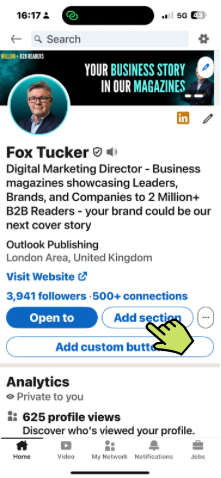
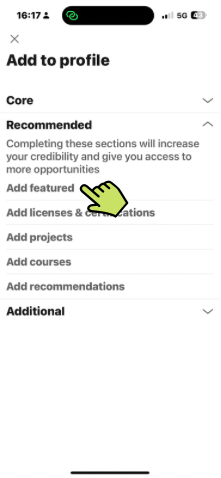
How To Add Recommendations To Your LinkedIn® Profile

Recommendations are short written endorsements from one user to another, typically written by colleagues, managers, clients, or collaborators. They appear near the bottom of your LinkedIn® profile.

Fox Tucker
LinkedIn® Coach:

What Are LinkedIn® Recommendations?

LinkedIn® Recommendations are short written endorsements from one user to another, typically written by colleagues, managers, clients, or collaborators. They appear near the bottom of your LinkedIn® profile, in the “Recommendations” section.

Framework Note

Recommendations are strongest when they provide proof of the thing you need your profile to establish. A job seeker may want evidence of performance and reliability. A consultant may benefit more from client recommendations that describe outcomes. A leader building reputation may want recommendations that speak to leadership, judgement or industry expertise.

Ask for recommendations that support your Primary Reason rather than collecting generic praise. Explore the Why Are You Really on LinkedIn®? framework.

How To Activate LinkedIn® Recommendations

What They Are Not

  • They’re not the same as “Skills Endorsements” (those quick clicks under your Skills section)
  • They don’t directly impact search rankings On LinkedIn®, but they do build credibility with people reading your profile

How LinkedIn® Recommendations Work

  • You can request a recommendation from anyone in your network (1st-degree connections only)
  • You can choose to show or hide individual recommendations.
  • You can write a recommendation for others (which they can choose to show or hide)
  • You must have a mutual connection and a listed relationship and position (e.g. “Manager at X during Y”) when requesting

Strategic Tips: Who To Ask?

LinkedIn® Recommendations are short written endorsements from one user to another, typically written by colleagues, managers, clients, or collaborators. They appear near the bottom of your LinkedIn® profile, in the “Recommendations” section.

  • Ask people who can genuinely speak to your skills, work ethic, results, or character.
  • Prioritize managers, clients, project leads, or direct reports.
  • Vary roles to show versatility (e.g. not just peers or friends).

Strategic Tips: How To Ask?

  • Don’t send the default LinkedIn® template
  • Personalize it: remind them of your shared work and what you’d appreciate them highlighting
  • Offer to write a draft they can edit (many will appreciate this)

Example Request For Recommendation

Hi [Name],

I hope you’re well! I’m refreshing parts of my LinkedIn® profile at the moment and wanted to ask if you’d be open to writing a quick recommendation based on our time working together on [project / team / role].

It would be great to have something that touches on [insert focus – e.g. “how we collaborated on X,” “the results from Y,” or “your experience of working with me as a manager”]. Of course, feel free to share whatever feels natural from your side.

If it helps, I’m happy to draft a few bullet points to make it easy.

No pressure at all – just thought I’d ask. Thanks either way!

Best,
[Your Name]

Strategic Tips: How Many?

  • 3–5 strong, relevant recommendations are plenty
  • Quality trumps quantity
  • Rotate which are displayed if you have many

Giving Recommendations

The best recommendations are:

  • Specific (mention results, traits, or projects)
  • Authentic (avoid generic praise like “hardworking team player”)
  • Short (2–3 short paragraphs max)

Inspiration: From a Manager or Boss

  • Took ownership of key projects with minimal oversight
  • Elevated the quality of work in the team
  • Always brought solutions, not just problems
  • Trusted to represent the company with senior stakeholders
  • Grew quickly in confidence and responsibility
  • Played a key role in hitting team goals or KPIs
  • Supported colleagues and helped lift the overall culture

Inspiration: From a Colleague or Peer

  • Collaborative and easy to work with – even under pressure
  • Strong attention to detail but never lost sight of the big picture
  • Always willing to help and share knowledge
  • Respected across departments, not just their own team
  • Balanced personal warmth with professionalism
  • Helped troubleshoot and improve workflows or systems

Inspiration: From a Client or External Partner

  • Clear and responsive communication at every stage
  • Delivered what was promised (or more)
  • Made the process smooth, even in tricky moments
  • Brought insights or suggestions we hadn’t considered
  • Felt like a trusted extension of our own team
  • Turned complex ideas into actionable outcomes
  • Left a lasting impression through quality of work and approach
Share this LinkedIn® Course
LinkedIn® Coach:Fox Tucker
LinkedIn® Trainer / Digital Marketing Director
Follow:
Digital Marketing Director | LinkedIn® Trainer | Fox has optimised 300+ LinkedIn® Profiles, manages 30+ LinkedIn® Company Pages, and leads the LinkedIn® strategy for a team of 50+ colleagues at Outlook Publishing Ltd. Fox also shares LinkedIn® strategies, current best practices, and tactics on www.leaders.social Fox specialises in providing Company Page Management