

Your LinkedIn® Profile Optimization Roadmap
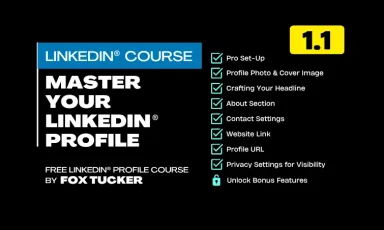
Your LinkedIn® profile is the most important part of your LinkedIn® activity. It’s tempting to set up an account and just plough on. This course will ensure your profile and professional personal brand are rock solid.
LinkedIn® Profile Foundations: Your Starting Checklist
Rock your LinkedIn® Profile by getting the basics right. This step-by-step guide walks you through you through laying the foundations of a rock solid LinkedIn® profile.

How To Optimize Your LinkedIn® Profile Photo
Your profile photo is the first impression you make On LinkedIn®. Discover how to choose, edit, and upload a high-quality image that enhances your professional presence and builds credibility with your network.

How To Optimize Your LinkedIn® Cover Image
Your LinkedIn® cover image is a valuable branding tool that sets the tone for your profile. Learn how to choose or design an image that enhances your professional presence and aligns with your personal brand.
How To Optimize Your LinkedIn® Headline
Your LinkedIn® headline is one of the most visible parts of your profile. Learn how to craft a compelling, keyword-rich headline that showcases your expertise and attracts the right opportunities.
How To Optimize Your About Section On LinkedIn®
Your LinkedIn® About section tells your professional story. Learn how to write a compelling, value-driven summary that captures attention, builds credibility, and makes people want to connect with you.
How To Optimize Your Contact Information On LinkedIn®
Your LinkedIn® contact information is a crucial but often overlooked element of your profile. Learn how to ensure the right people can reach you, optimize visibility settings, and present your details professionally to maximize networking opportunities.
Customize Your LinkedIn® Profile URL
Ditch the default nonsense URL. Learn how to claim your custom LinkedIn® Profile URL with my quick and easy guide.

LinkedIn® Visibility & Privacy Settings: What to Review
Understanding LinkedIn®’s privacy settings ensures that the right people can find and engage with you. Learn how to adjust your profile visibility, manage connections, and control what others see.
