How To Add Patents To Your LinkedIn® Profile

A 5 minute lesson on how to add Patents to your LinkedIn® profile.

Fox Tucker

Lesson Introduction

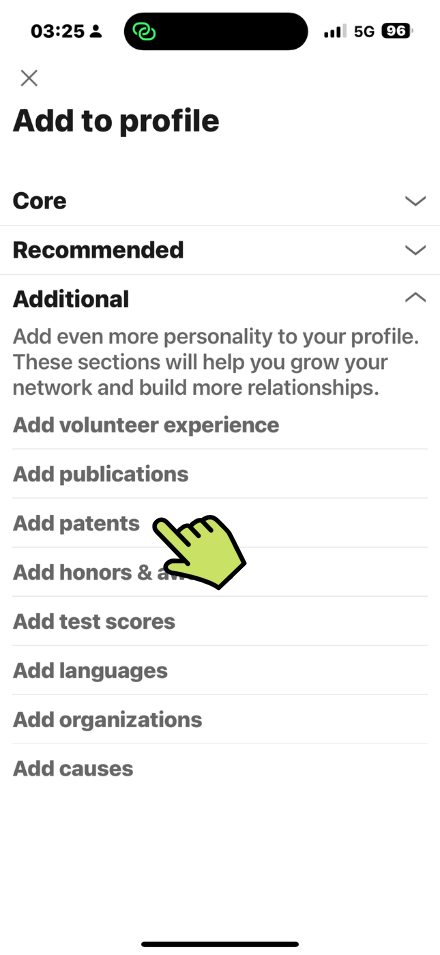
Add more personality to your LinkedIn® Profile by completing optional information in the Additional Section of your LinkedIn® profile.

Where to Find These Settings

  • Click Add Section
  • Click Add Patents

Add Patent Information

  • Enter Patent Title
  • Enter Patent or apllication number
  • Add inventor

You can only add people you are connected with. They are not notified that you have added them.

  • Select Patent issued or Patent pending
  • Add Issue date (if applicable)
  • Enter Patent URL (link to a website etc)
  • Enter Description (2000 character limited)
Share this LinkedIn® Course
Digital Marketing Director & Founder of Leaders Social
Follow:
Fox Tucker is Digital Marketing Director at Outlook Publishing and founder of Leaders Social. He created more than 40 free LinkedIn® media courses and specialises in LinkedIn® Company Pages, LinkedIn® profiles, digital strategy, SEO and online visibility.